Pop + Zero-Click Bot Filtering: A Practical IVT Playbook for Affiliates
Pop + Zero-Click Bot Filtering: A Practical IVT Playbook for Affiliates
Bots are the tax you pay for cheap, high-volume traffic. Popunder and zero-click are two of the most affordable formats in affiliate marketing, and that affordability is exactly why invalid traffic concentrates there. The mistake most media buyers make is treating bot filtering as a kill switch — they nuke any source that looks dirty and end up killing profitable zones along with the junk.
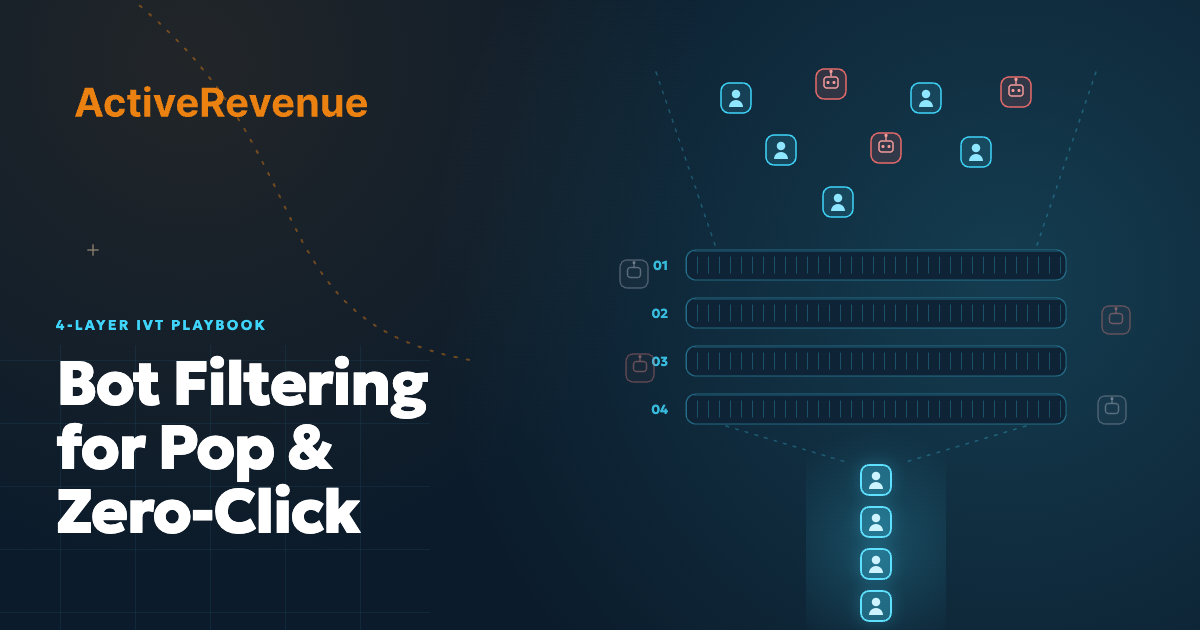
The goal isn't zero bots. It's protecting the sources that actually convert while cutting the spend that does nothing. Here's a four-layer workflow to do that, plus the canary-lander trick that catches the bots your tracker misses.
Know what you're filtering: GIVT vs SIVT
The industry splits invalid traffic (IVT) into two tiers, and they need different defenses.
- General Invalid Traffic (GIVT) is the easy stuff — data-center IPs, known crawlers, declared bots. It's caught with lists and basic checks. This is your floor: if you're not filtering GIVT, you're lighting money on fire.
- Sophisticated Invalid Traffic (SIVT) is the expensive problem — hijacked devices, headless browsers faking human behavior, click farms. Lists won't catch it. You need behavioral signals and corroboration.
On pop and zero-click, GIVT is background noise and SIVT is where the budget actually leaks. The four layers below escalate from one to the other.
Layer 1: Source-level hygiene (the GIVT floor)
Before a campaign scales, clean the obvious junk at the source.
- Block data-center and hosting IPs. Legitimate pop/zero-click users almost never browse from AWS, Google Cloud, or known hosting ranges. This single filter removes a large slice of GIVT.
- Drop declared bots and crawlers. Search spiders and QA scripts shouldn't count as impressions. Most are identifiable by user-agent.
- Set GEO and device sanity rules. A Tier-1 offer pulling huge volume from a Tier-3 GEO at impossible CTRs is a pattern, not a goldmine.
Start broad here so the later layers only have to work on traffic that already looks human. If you're still learning how these formats behave at the source level, the popunder traffic buying guide covers the fundamentals.
Layer 2: The canary lander (catching SIVT)
This is the layer most affiliates skip, and it's the one that catches sophisticated bots.
A canary lander is a control page that a real human would never "convert" on. You run a small slice of each traffic source to it alongside your real campaign. The page has no compelling offer, a hidden or absurd call-to-action, and instrumentation that logs every interaction.
- Real users do nothing. A human lands, sees nothing worth clicking, and leaves. Conversions on a canary should trend toward zero.
- Bots can't help themselves. Automated traffic clicks everything, fills hidden fields, and fires events no human would. A source "converting" on your canary is a source full of bots.
- You get a per-source bot score. Compare canary activity by zone or sub-source. The dirty ones reveal themselves without you having to trust the network's numbers.
The canary turns SIVT from invisible to measurable. Run it continuously on a small budget — bot composition in a source changes week to week.
Layer 3: Behavioral signals on the real lander
On your actual money page, watch how traffic behaves, not just whether it converts.
- Time-to-action. A "conversion" 0.3 seconds after page load is a script, not a person.
- Engagement signals. Mouse movement, scroll depth, and viewport focus separate humans from headless browsers. No movement at all on a high volume of sessions is a red flag.
- Impossible consistency. Real human traffic is noisy. A source where every session lasts exactly the same time or follows an identical path is automated.
Log these per zone so you can act on them in Layer 4. Behavioral data is also what tells you a zero-click source is genuinely warm versus quietly botted.
Layer 4: Reconcile and blacklist (the feedback loop)
Filtering is only worth it if it changes where your money goes. Close the loop.
- Match postbacks to behavior. Reconcile your real conversions (and their downstream quality — deposits, retention) against the canary and behavioral scores per source. Sources with conversions but bot-grade behavior are SIVT dressed up.
- Blacklist at the zone level, not the source level. A traffic source is rarely all bad. Cut the specific zones or placements that fail, and keep the clean inventory feeding your winners.
- Re-test on a cycle. Blacklisted zones can clean up; clean zones can degrade. Refresh your lists on a schedule instead of setting and forgetting.
This loop is what lets you keep buying cheap volume without the bot tax eating your margin. The same per-zone discipline applies whether you're running popunder or domain-redirect traffic.
Don't kill your winners: avoiding false positives
The whole point of layering is to avoid the trigger-happy mistake. A few guardrails:
- Demand sample size before you cut. A zone with 40 clicks isn't a verdict. Wait for statistical significance or you'll blacklist profitable inventory on noise.
- Separate "low quality" from "invalid." A low-converting human source is a targeting or offer problem, not a bot problem — different fix entirely.
- Whitelist proven zones. Once a zone clears all four layers and converts to real deposits, protect it. Don't let an automated rule pull a winner because of one noisy day.
Filtering done wrong shrinks your account. Filtering done right concentrates spend on the inventory that pays — which is the entire job.
Bottom line
Pop and zero-click stay profitable when you treat bot filtering as a four-layer system, not a single switch: clean the GIVT floor, deploy a canary to surface SIVT, read behavioral signals, and reconcile in a per-zone feedback loop. Keep the winners, cut the junk, re-test on a cycle.
This is general guidance on traffic quality, not a guarantee against fraud. Combine these methods with your tracker's and network's own filtering.
Want pop and zero-click inventory with the controls to filter it properly? Launch a campaign on ActiveRevenue →